
 |
| Here is a drawing I did of some monsters making a website 🙂 |
Have you been thinking about making a website for what you do?
Looking to make a website that is something beyond just building a cart? Something that shows what you do artistically to talk about your process and just let people more about you as a creator. Then I hope you find this useful.
Here's a way to set up a website, that is easy to use, free, and should only take about 10 minutes to get it up and running.
The first is a service I use for several of my own sites - including this one!
(Related Post: Why I create a free website for all my ideas)
Blogger.com
The first one is Blogger by Google
This is how simple it is to create a Blogger website right now.
- Go to blogger.com
- Enter the title of the website
- Choose the URL for the art blog
- Pick out a template
- The website is live
I'm going to walk through the steps of creating a new website myself
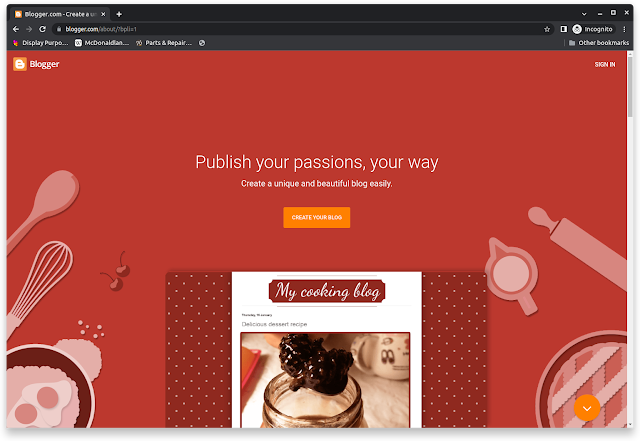
Step one. Go to blogger.com.
If you already have a Gmail account, you can just use that and sign in automatically to create a website.
Step two. Enter the title of the website.

Step three. Choose the URL for the art blog.

When first making a new website, I don't even need to buy a domain. I can start with a blogspot.com address until I officially launch the site.
Note: The URL may already be taken. Don’t worry you can get your own “dot com” address later. Try different URL names until finding one that’s not taken. Even adding a 1 to the address sometimes helps.
Step four. Pick out a template.

There are lots of templates to choose from but the ones that work the best are the first four choices.
- Contempo
- Soho
- Emporio
- Notable Light
All the other templates on the list below those are from a much older version of the Blogger and are not mobile-friendly. So I just ignore those.
Step five. The website is live so start posting!
My site is up and running in minutes
I literally go from creating the website to posting in about 5 minutes.
Get a custom domain
When I'm ready to launch my site I can do it right from Blogger and it's really easy.
I go to the settings section in the sidebar menu then scroll down to the publishing section and click "custom domain".

In the pop-up choose "Buy domain" and it will take me to Google domains where I can get my own URL for just $12 a year. Not too shabby.

Make as many sites as I want
And I can make several websites right here in Blogger. I can switch between working on this website, my pop-culture website, my band website, and more. All from this account.
But there is one more option that's free and is also available right from my Google account.
Google Sites

Google Sites is another website host that's built into a Google account. It's actually hosted from Google Drive.
You can create pages, add pictures and text, and more. It’s a type of site to post to if I don't plan on updating it much. It's more just a portfolio page.
Step 1. Go to sites.google.com
Step 2. Choose a new blank template.

Step 3. Then choose the name for your Google Site.

The title here is how to choose the name for my site.
Step 4. Start dragging elements from the sidebar to the page and start creating pages.
Step 5. After making changes hit publish.
It's just like a Squarespace site. But a more, minimalistic version and has a drag-and-drop interface. It’s an alternative to a Blogger type of site if I don’t want to update it very often.
Get a custom domain
Google Sites publishes its sites to a really long obscure URL like sites.google.com/view/testartistwebsite for example.
But when I'm ready I can choose to buy a custom domain for the site just like I do with Blogger.

And I can create as many sites as I want from my Google sites account just like I can with Blogger.
In closing
While Google sites is a fantastic service. I prefer Blogger because I create and share stuff on my website every day.
Also, I can make as many websites as I want. I actually have about 10 sites that I run right now for different subjects using Blogger and Google Sites.